


4.04.54M Reviews
App Specs
- Version
- Varies with Device
- Updated On
- License
- Free
- Downloads
- 5,000,000,000+
- Developer
- Categories
- Social
- Platform
- Android, iOS
Screenshots
 Analysis by AppCompare
My first week with Instagram made its appeal easy to understand: a single place to catch up with friends, watch short videos, follow interests, and share moments of my own. The app is free, and Instagram has built a huge social network around photos, stories, reels, and messaging. That breadth makes it easy to find a reason to open it, though it also means the experience can become crowded if I do not decide what I want from it.
Getting into the habit
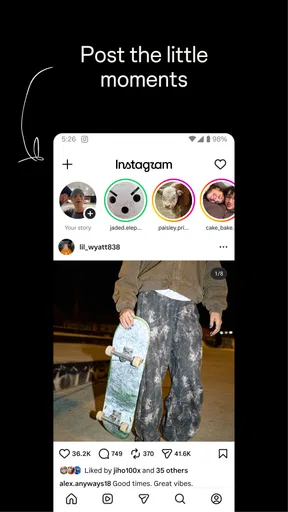
As soon as you open Instagram, the sleek design and user-friendly interface are pretty welcoming. You’re immediately greeted by a feed filled with vibrant photos and engaging short videos. It’s like stepping into a virtual gallery that’s been curated just for you. The app’s layout is intuitive, making navigation a breeze even for the less tech-savvy among us. In my experience, the first few days are especially enjoyable because there is always another account, topic, or format to explore.
Stories, reels, and finding your rhythm
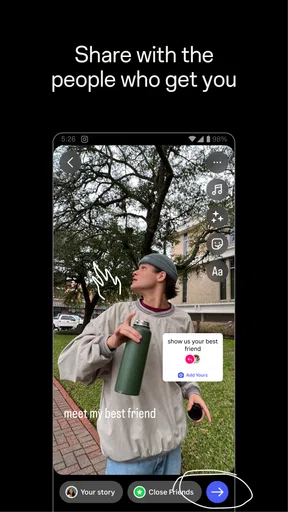
One of the coolest features is the stories. They’re a fun way to share snippets of your day without clogging up your main feed. Plus, with all the stickers, GIFs, and music options, you can really let your creativity shine. It’s like having a mini production studio right in your pocket! I find stories most useful for quick, informal updates: a meal I tried, a place I visited, or a small moment that does not need to live permanently on my profile. If I want to share something more considered, a regular post feels like a better fit.
Guides and Analysis on Instagram
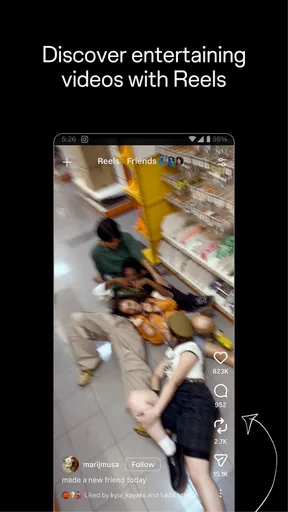
Reels give the app another pace. They are suited to quick demonstrations, jokes, recipes, and other ideas that make sense in a short video. When I am looking for inspiration rather than a specific update, I can browse them; when I want to keep up with people I know, I return to the accounts I chose to follow. That distinction matters, because recommendation feeds can lead me far beyond the people and subjects I originally opened the app to see.
And let’s not forget the Explore page. It’s your gateway to discovering new content tailored to your interests. Whether you’re into travel, food, fashion, or memes, this page is a treasure trove of inspiration. I’ve found myself spending way more time here than I’d like to admit! A practical way to make discovery more useful is to treat it like a starting point, not an instruction to keep scrolling: save a recipe or idea that you genuinely want to revisit, then leave rather than browsing indefinitely.
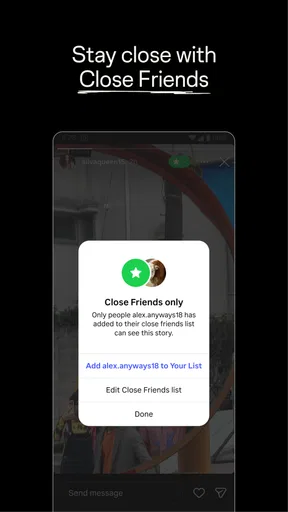
Staying close without making everything public
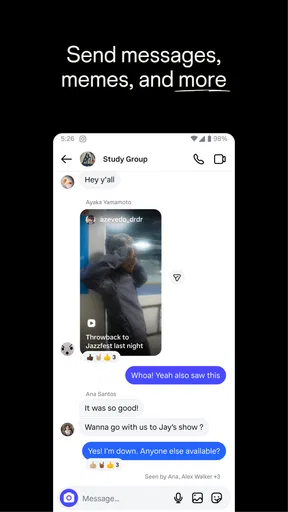
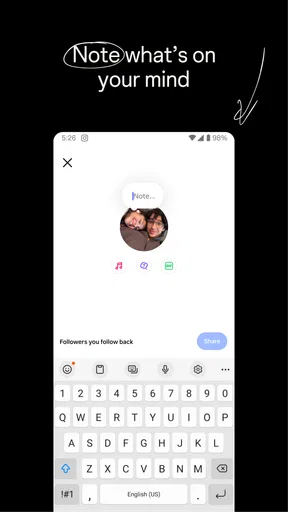
Oh, and for those who love staying connected, the direct messaging feature is super handy. It’s like your personal chat room where you can slide into DMs, share posts, or just have a casual catch-up with friends. Sending a post into a conversation can be an easy way to say “this made me think of you” without composing a separate message. I would still keep important plans and long conversations in whichever messaging service my friends reliably check; Instagram is convenient when the conversation starts with something on the app.
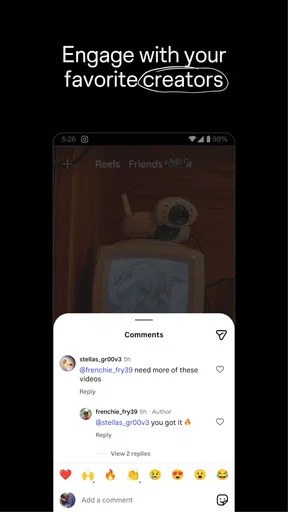
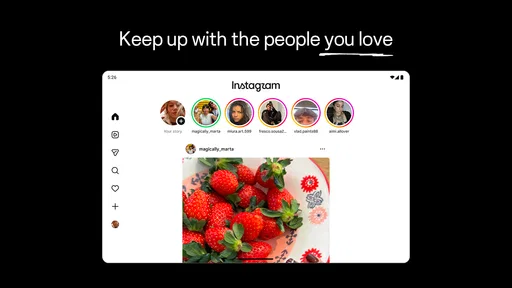
The sense of community is one of Instagram’s biggest draws. You can connect with people from all over the world and share your passions. Whether you’re following your favorite celebs, catching up with distant friends, or engaging with niche communities, there’s a strong sense of belonging. The app is strongest when I use it to follow a mix of people I actually know and creators whose work gives me a reason to return, rather than treating every suggested account as something I ought to follow.
Worth Reading Before You Choose

Baby Panda World Brings Quick Play to Modern Phones, but Its Game Library Feels Busy

ESPN’s Live Game View Makes Following Close Games Easier

QuizzLand Review: A Good Fit for Short Trivia Breaks, Not Every Player

Basketball Stars: Multiplayer Is Fast, but Can It Recover When Matches Go Wrong?

WEBTOON Turns Phone Updates Into a Better Reading Routine

Link to Windows Runs on Shared Habits, Not Social Feeds
Making it worthwhile month after month
For the creative souls out there, it’s a fantastic platform to showcase your work. Artists, photographers, and content creators have found a home here, and it’s easy to see why. The app offers a stage where your work can be seen by millions, potentially opening doors to new opportunities. That reach is appealing, but it is not a guarantee of attention or a substitute for a portfolio, a direct client relationship, or a community that exists beyond one social platform. I would use it as a useful public window, not as the only place where important work is kept.
Instagram is a social app developed by Instagram, and its long-running popularity is reflected in an average rating of 4.0 from around 168 million ratings, alongside more than 5 billion installs. It is free to download, though it includes optional in-app purchases, with listed amounts ranging from $0.19 to $10,000 per item. That does not mean ordinary browsing requires a purchase, but it is worth being aware that paid options may appear. Its Teen age rating also makes it important for families to discuss what a young person follows, shares, and encounters online rather than assuming the rating alone settles every household’s needs.
In everyday use, I would make the app earn its place by giving it a purpose. For example, I might check stories from friends over breakfast, send a restaurant reel to someone I am meeting, and post a few photos from a weekend walk. If I notice that I have opened Explore without a particular reason, I can close the app and return when I have something specific to do. That small distinction turns a habitual scroll into a tool for keeping in touch and collecting ideas.
The upkeep behind a good feed
A feed rarely stays useful by accident. I get more value when I periodically unfollow accounts that no longer interest me, mute posts that I do not want to see without making a public break, and use saved items selectively. These small choices can make the experience feel more personal than simply accepting whatever appears next. The trade-off is that curation takes attention: if I follow too many accounts, the feed can become noisy again, and if I spend too long refining it, managing social media starts to feel like another chore.
For creators, the maintenance is more noticeable. Keeping a profile coherent, deciding what belongs in a story versus a lasting post, and responding to messages can take time even when the actual act of sharing is quick. I would not recommend treating daily posting as a requirement unless creating content is genuinely part of someone’s routine. A sustainable pace and a clear reason to publish matter more than trying to keep up with every format.
Where the experience can wear thin
While Instagram is a fantastic tool, it’s easy to fall into the rabbit hole of endless scrolling. Trust me, I’ve been there! It’s important to use it mindfully and not let it consume too much of your time. The friction is not only the amount of content; switching between friends’ updates, recommendations, short videos, and messages can make a quick check expand into several unrelated activities. I find it helps to open the app for a clear task, such as replying to someone or checking a particular account, instead of letting the feed choose the next one.
Additionally, there’s the ever-present pressure to present a picture-perfect life. It’s essential to remember that what you see isn’t always reality. Balancing authenticity with creativity is key. This matters both when viewing other people’s polished posts and when deciding what to share myself. If I catch myself comparing my ordinary day with someone else’s carefully selected moments, stepping away is more useful than trying to make my own profile look equally perfect.
Instagram also is not the best choice for every kind of connection. If I mainly want chronological updates from a small group, a private group chat or another service built around direct conversation may be less distracting. If I want to watch longer, uninterrupted video, a dedicated video platform is a more natural fit. And if social feeds tend to affect my mood or take over spare moments, choosing not to install the app—or keeping it for occasional, intentional visits—can be a better decision than trying to make constant use feel productive.
Who will get the most from it?
I would recommend it to people who enjoy visual communication: friends sharing everyday moments, hobbyists gathering ideas, and makers who want an approachable place to show their work. It is especially handy when the people I care about already use it, because stories and direct messages give me several low-effort ways to stay in touch. Someone who prefers text-first discussion, a quiet feed, or a strict separation between entertainment and communication may find the combination less comfortable.
Compared with other social apps, Instagram’s particular strength is the way images and short video sit alongside profiles, stories, discovery, and private messages. That makes it more flexible than a service focused mainly on one-to-one chat, but less focused than a dedicated messenger. Its recommendation-led browsing can surface new creators faster than a network built only around existing contacts, yet that same discovery is one reason it can be harder to keep a visit brief. I would choose it for visual sharing and broad discovery, not because it is automatically the best place for every conversation or every kind of content.
New users often wonder whether they need to post to get value from it. I do not think so: following accounts, watching stories, and sharing posts privately can make the app useful even if I never publish to my own profile. If I do decide to post, I can choose a format based on how long I want the moment to remain part of my profile and how much effort I want to put into it. The important choice is not to perform activity for the sake of looking active.
Another practical question is whether the app can stay manageable. It can, but I would not expect the default stream to perfectly reflect my priorities forever. Following selectively, muting when appropriate, and leaving recommendation browsing for moments when I actually want discovery all help. These are not magic fixes: the app still offers a lot to explore, and I have to be willing to stop. That makes personal boundaries part of the experience rather than a one-time setup task.
Does it deserve a lasting place?
Overall, Instagram is a vibrant, dynamic platform that offers something for everyone. Whether you’re here to connect, create, or just scroll through a feed of cute puppies, it’s an app that’s hard to resist. So, if you haven’t already, give it a go and see where it takes you! My longer-term view is more conditional: it earns space on my phone when it helps me keep up with people, share visual moments, or collect ideas I will genuinely use. Its familiar tools make returning easy, while the endless recommendations and pressure to present a polished life are reasons to keep some boundaries.
After the novelty fades, the lasting value comes from the people and interests I choose to bring into it—not from trying every feature or checking it whenever I have a spare minute. If I can open it with a purpose, enjoy the parts that matter, and leave without feeling pulled into another stretch of scrolling, it remains worthwhile. If I cannot, a less immersive alternative or simply more time away is likely the better fit.
Pros
- User-friendly interface boosts engagement.
- Comprehensive editing tools for photos.
- Seamless integration with Facebook.
- Real-time sharing through Stories.
- Extensive influencer and brand presence.
Cons
- Algorithm changes affect content visibility.
- Addictive nature impacts productivity.
- Limited desktop functionality.
- High data consumption on mobile.
- Privacy concerns with data sharing.
FAQs for Instagram
What are the main features of Instagram?
Instagram offers a diverse range of features including photo and video sharing, Stories, IGTV for longer videos, Reels for short clips, and a robust messaging system. Users can also explore content through hashtags, follow other users, and enjoy a personalized feed tailored to their interests.
How does Instagram's privacy settings work?
Instagram provides several privacy options. Users can set their accounts to private, allowing them to approve follow requests. Additionally, there are options to block or mute users, control who can comment on posts, and manage who sees your Stories. Instagram also offers features to report and restrict unwanted interactions.
Is Instagram free to use?
Yes, Instagram is free to download and use. While the core features are free, the platform offers in-app purchases for items like filters and promotional tools. Businesses can also pay for sponsored posts to reach a wider audience. However, a regular user can enjoy most features without spending money.
What devices are compatible with Instagram?
Instagram is compatible with both Android and iOS devices. It requires Android 6.0 or later and iOS 12.0 or later. The app is optimized for smartphones and tablets, and while there is a web version, it offers limited functionality compared to the mobile app.
How can I keep my account secure on Instagram?
To keep your Instagram account secure, enable two-factor authentication, which adds an extra layer of security by requiring a code sent to your phone. Use a strong, unique password and update it regularly. Be cautious of phishing attempts and never share your login details with anyone.


